
Event platform – take registrations and manage attendees
A customer event, conference, annual meeting or seminar? This is where you build the event page, take registrations and keep track of your attendees. Easy to get started, and we're here if you need help.
What is an event platform?
An event platform gathers everything around your event in one place: the event page, the registrations, the attendee list, the payment and the contact with attendees before and after. In Paloma you do it yourself, without technical help. You build the page, attendees sign up, the list fills up by itself, and you send confirmations and reminders by email or SMS. Paloma is a Swedish event platform, built in Hedemora since 2003. The free account holds 80 attendees per event, and all data stays in Sweden.
- Create an event page in minutes
- Registrations and attendee lists
- Payment and check-in
Create a free account and get going today. Want to read first? See the guide to taking registrations or the comparison of event tools.
Why so many choose our event platform
Simple
The event page is ready in a few minutes.
Close by
Call or email, and a real person answers.
Safe
Your data stays in Sweden.
Since 2003
Built together with our customers.
1,500+ customers
Businesses, associations, municipalities and agencies.
Our support
97% are very satisfied with the help they got
The rest were satisfied. No one was dissatisfied.
How our customers answered after contacting support in September 2026.
Create an event page that attracts more registrations
Start from a ready-made event page and make it your own. Change colours, fonts and images, and add the programme and speakers. No code, no templates to learn.
Breakfast seminar: succeed with newsletters
An inspiring morning about how to create newsletters that get opened, read and deliver results. Breakfast is included – you're very welcome!
Create an event page, take registrations and manage attendees
From registration page to check-in, everything happens in the same Swedish platform, with full control and a clear overview.
Take registrations
Open registration and let attendees sign up themselves, right on the event page.
Design your event page
Choose colours, fonts and images so that the event page looks like you. It takes ten minutes.
Ready-made payment solutions
Take payment by Swish, card or invoice. Or keep it completely free – you choose.
Manage the event
See registrations, payments and cancellations as they happen.
Check in attendees
Check in with the app on a phone, tablet or computer. Everything updates right away.
Follow up afterwards
Say thank you, ask what they thought and invite them to the next one, by email or SMS from the same list.
Get started with events in minutes
Two minutes: how to take registrations and keep track of attendees in Paloma.
Your data stays in Sweden
Your attendees' details are stored in Sweden, at Telia Cygate, and never leave the country. Consent, double opt-in and unsubscribing are in place from the start, and a data processing agreement if you need one.
Hosted in Sweden
At Telia Cygate, certified to ISO/IEC 27001. Your data stays in Sweden.
GDPR-compliant handling
Consent, double opt-in and unsubscribing are in place from the start.
Personal support
Real people in Hedemora who answer you on weekdays during office hours.
A Swedish platform since 2003
Developed and run in Sweden by the same team since the start, for more than twenty years.
Smart features for your events
Registration page
Take registrations right away.
Payment solutions
Pay by Swish, card or invoice.
Sales report
Follow revenue and attendee numbers.
GDPR
Consent is handled correctly.
Team
Several users with different roles.
Reminders
Confirmations by email and SMS.
Attendee lists
Export lists to Excel.
Embed
Embed the page on your website.
Check-in
Check in with the app or a computer.
Payment options for your event
A free event, or paid by Swish, card or invoice. You choose for each event.
Card payment
Take payment as soon as the attendee registers, by card via Stripe or PayPal.


Instant payment
Let the attendee pay quickly and easily with Swish.
Invoice payment
Invoice via Stripe or Billogram, or handle the invoicing yourself.
 Handle it yourself
Read more about the payment options in our help centre (in Swedish).

More features in Paloma's platform
Your attendees end up in the same contact list as your newsletters and SMS. Invite by email, remind by SMS and follow up automatically, without moving a single address:
- Newsletters, SMS, events and automation
- The same contacts and data in every channel
- Connect events to newsletters and SMS
- A Swedish platform with personal support
Businesses and associations that keep in touch smarter

"It feels close, and we like that. The platform helps us build relationships – not just sell cars."

"We are very happy. It's easy to get started and easy to reach our recipients."

"Good-looking, simple and close. We reach our members quickly and on time, every time."

“We want to build relationships through events and meetings”
For Rolf Ericson Bil, it's the meetings that make a difference. With Paloma they gather registrations, events and customer communication in one place, always in line with their core values of relationships and simplicity.
- Registrations and attendees in the same place
- More time for closeness and engagement
- Memorable experiences for customers
Frequently asked questions about events and the event platform
What does the event platform cost?
Can I create events for free?
Where are the attendees' details stored?
Can I integrate the event module with other Paloma modules?
Can I connect Paloma to my CRM or other systems?
How long does it take to plan and create a new event?
What should an event plan include?
How do I attract more attendees to my event?
How do I measure whether my event was a success?
Can I create packages with, for example, a hotel, a book or food together with a ticket?
Can I create discount codes for the tickets?
Can I use my own domain names for my event pages?
Are there automatic map features for the venue?
Can attendees easily share the event on social media?
Is check-in at the event possible?
Can I embed the event on my own website?
Can attendees get automatic reminders about the event?
Can I export attendee lists?
Are the event pages mobile-friendly?
Can I handle different ticket categories and prices?
Which payment options can I offer my attendees?
Can I customize the design of the event pages?
Can I collect feedback from attendees after the event?
Can I handle refunds directly in the system?
Do the event pages support several languages?
Get started for free: create your first event
- Free account, no card details needed
- Up to 250 emails a month included
- Up to 80 event attendees included
- 5 free SMS included
- Registrations, payment and check-in
- No lock-in period, upgrade whenever you like
- Personal support from Sweden
Sign up at no cost and create your first event in a few minutes. 250 free emails a month, 80 attendees in the event module and 5 free SMS are included. If you need more attendees, the event module is included in the Go+ plan from 695 SEK/month together with newsletters, or in Pro from 1,295 SEK/month with all modules. No lock-in period. All data is stored in Sweden.
Create a free account in 2 minutes
No card details, no lock-in period. You're up and running with your first event right away.
Create a free account80 attendees, 250 emails and 5 SMS are included in the free account.
We're here for you – close by and personal


Why choose Paloma as your event platform?
Paloma is a Swedish event platform where you create event pages, take registrations and handle event sign-ups in the same place. Many use three tools: one for registrations, one for sending and one for follow-up. The attendees then end up in three lists, and something always goes wrong. In Paloma everything is in the same system, from the invitation to the thank-you email.
What an event platform does
In an event platform, attendees sign up themselves on the event page. The attendee list builds itself, confirmations and reminders go out by email and SMS, and you always see how many are coming. It works just as well for a customer event with twenty people as for larger corporate events such as conferences and product launches.
From registration to check-in
You build the event page, choose whether it should cost anything and open registration. Then you follow registrations, payments and cancellations in real time. On the day of the event you check in attendees with your phone, tablet or computer, and the list updates right away: this many have arrived, this many you're still waiting for.
Everything in one Swedish platform
Newsletters, SMS messaging and automated event flows are in the same platform, so the invitation, the reminder and the follow-up go from the same place to the same list. It works for physical and digital events, from customer events and conferences to webinars. All data is stored in Sweden. The free account holds 80 attendees per event, and if you need more, the event module is included in Go+ from 695 SEK/month. Create a free account and get started with your first event today.
Our most-read guides about events
Dig deeper into registrations, event pages, tickets and everything that makes your event a success.
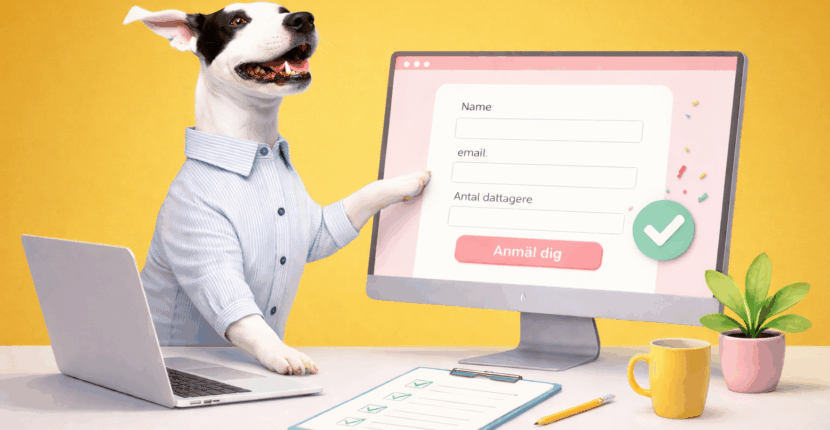
Create a registration page for events
Read the guide →
Event tools for businesses – how to choose the right one
Read the guide →
Create and sell tickets for events
Read the guide →
Plan a webinar – step by step
Read the guide →
Digital invitations – a guide and examples
Read the guide →